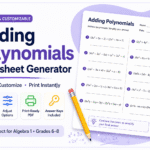
Multi-step equations are where students either rise to the challenge or start to feel like algebra is not for them. There is real cognitive work happening when a student has to decide whether to distribute first, collect like terms, or move variables across the equal sign — and the only way to build that fluency is practice. Lots of it. Varied practice that meets students where they are.
This free Multi-Step Equations Worksheet Generator is built specifically for that moment in your unit. In under two minutes you can have a print-ready PDF with exactly the equation types your class needs — from straightforward variables-on-both-sides problems all the way to distribution on both sides with negative coefficients.
Multi-Step Equations Generator
Design · Customize · Download
Ten Equation Types, Three Difficulty Levels
One thing that sets this generator apart is the difficulty tagging system. Every question type is labeled Level 1, Level 2, or Level 3, and those labels appear right on the worksheet as small color-coded badges — green for Level 1, amber for Level 2, red for Level 3. You can turn the badges off for assessments and back on for practice sets. It is a small detail that makes a real difference when you are differentiating.
Level 1 — Building the foundation
Variables both sides in simplest form (3x + 5 = x + 13) gets students comfortable with moving the variable before any simplification is needed. Like terms on one side (2x + 3x + 4 = 19) reinforces combining before solving. Distribution on one side (2(x + 4) = 18) introduces the first step of distributing and then applying inverse operations.
Level 2 — Adding complexity
Distribution plus variables on both sides (3(x + 2) = x + 14) is the equation type that trips up the most students because it requires two conceptual moves in the right order. Like terms on both sides (2x + 3 + x = 4x - 7) demands careful organization before the variable can be isolated. Negative coefficients on both sides (-2x + 5 = 3x - 10) reinforces integer rules in an algebraic context.
Level 3 — Full multi-step challenge
Distribution on both sides (2(x + 3) = 3(x - 1)), negative distribution (-2(x - 3) = x + 9), fraction coefficients with variables on both sides (x/2 + 3 = x - 1 — displayed as a proper stacked fraction), and complex unsimplified both sides (3x + 2 - x = 2x + 5 - 4) round out the set. These are the types that show up on end-of-unit assessments and standardized tests.
How to Build Your Worksheet
Step 1 — Set your title and style. Type your worksheet title, pick a font, and choose a title color. Select your variable — x is the default, but switching to n or y occasionally is a useful habit-breaker for students who have started treating x as the only letter that can be a variable.
Step 2 — Choose your question types. Check the boxes for the types you want. Use Select All for a comprehensive mixed review, or pick just one or two types for focused skill practice. The Level 1, 2, and 3 tags on each chip help you build a set with the right mix of difficulty.
Step 3 — Set your numbers. Min Number and Max Number control the coefficients and constants in your equations. Keep them small early in the unit — 2 to 8 keeps the arithmetic manageable while students focus on the algebraic procedure. Open them up for review.
Step 4 — Choose your layout. One or two columns, portrait or landscape, font size, and work space. The Large Box option gives students room to show all their steps directly on the worksheet — essential when you want to see the process, not just the answer.
Step 5 — Toggle the difficulty badge. Leave it on for practice so students can self-sort or peer-tutor. Turn it off before printing an assessment so the badge does not signal the difficulty to students before they begin.
Step 6 — Preview and download. Click Preview Worksheet to check what everything looks like, then Download PDF. Print and go.
How I Use This in the Classroom
For an introductory lesson on a new equation type, I select only that type with Level 1 or 2 tags, set columns to 1 so there is plenty of room, and turn on the large workspace. Students see the structure clearly and have space to show each step.
For a mid-unit review, I mix Level 1 and Level 2 types with 16 questions in two columns. This gives a full-period assignment that covers what we have learned without overwhelming anyone.
For test prep, I click Select All, generate 20 questions, turn off the difficulty badge, and turn on the answer key for the teacher copy. Students get the full range. I keep my answer key copy and print clean copies for the class.
For differentiation, I generate two versions in the same sitting — one with Level 1 and 2 types only for students still building fluency, and one with Level 2 and 3 for students who are ready to be pushed. Both groups are working on multi-step equations. Neither group knows the other has a different sheet.
These worksheets are free to use, print, and distribute for educational purposes. However, this tool and its generated materials may not be used for commercial purposes.
More Free Math Tools
- One-Step Equations Worksheet Generator — 12 question types including proper stacked fraction notation
- Two-Step Equations Worksheet Generator — bridging the gap between one-step and this tool
- Classroom Random Name Picker — fair, animated student selection for any lesson
- Classroom Voice Level Monitor — real-time noise display for your Smart Board
All free. No account. Built for real classrooms.