Let me tell you something I figured out about fifteen years into my teaching career: the moment you turn review into a game, the entire energy of the room shifts. I have tried every review strategy in the book — Jeopardy, quiz bowls, exit tickets, whiteboard relays. All of them have their place. But nothing — and I mean nothing — gets a classroom more genuinely excited than the word “Bingo.”
I have watched students who barely spoke during regular instruction suddenly lean forward, eyes scanning their cards, pencils hovering, fully focused. That is the power of a well-designed bingo game. And that is exactly why I built this free Bingo Card Generator — because teachers deserve a tool that is as fast and flexible as their classrooms demand.
Add your words or pick a theme, then click Generate Cards
What Makes Classroom Bingo So Effective?
Before we get into how the tool works, I want to take a moment to talk about why bingo belongs in your teaching toolkit — because this is not just a time-filler. Done right, classroom bingo is a legitimate learning activity.
When students play vocabulary bingo, they are doing several things at once. They are hearing a term or clue read aloud, holding it in working memory, scanning their card for a match, and making a decision. That process — hear, recall, match, confirm — is essentially a low-stakes retrieval practice exercise. And retrieval practice, as decades of cognitive science research confirm, is one of the most effective ways to move information from short-term to long-term memory.
The game format also creates positive emotional associations with the content. When students enjoy reviewing, they are more likely to engage, and students who engage retain more. It is that simple.
Who Is This Tool For?
If you work with students in any capacity, this generator is for you. I designed it to be useful across every subject area and grade level.
It works beautifully for elementary teachers running a weekly vocabulary review, middle school science teachers wrapping up a unit on ecosystems, high school history teachers reviewing key terms before an exam, ESL and ELL teachers reinforcing academic vocabulary in an accessible way, homeschool parents who want structured but fun review activities, after-school tutors looking for a quick engaging warm-up, and curriculum coaches who create resources for whole departments.
Honestly, if you teach it, you can bingo it.
How to Use the Bingo Card Generator — Step by Step
I built this tool to be genuinely fast. Here is how to go from idea to printed cards in under five minutes.
Step 1 — Set Up Your Card
At the top of the generator, fill in your card title. This appears as the header on every printed card — something like “Chapter 7 Review Bingo” or “Solar System Bingo” works perfectly. You can customize the title color and font to match your classroom theme or subject area. A small personal touch like this makes students feel the activity was made specifically for them, which it was.
Choose your grid size: 3×3 for younger students or quick games, 4×4 for intermediate learners, or the classic 5×5 BINGO format for a full game experience. You can also choose how many unique cards to generate — anywhere from a single preview card all the way up to 30, so every student in the room gets a different card.
Toggle the free space on or off. For younger students or when you want the game to move faster, the center FREE space is a great help. For a more challenging review, turning it off means every single square must be matched.
Step 2 — Customize the Style
This is one of my favorite parts of the generator. You have full control over the header color, cell background, cell text color, border color, and free space color. You can match your school colors, your classroom theme, or the subject you teach. A science class might use cool blues and greens. A holiday review might go with warm reds and golds. These details take seconds to adjust and make the final product look polished and intentional — not like a generic worksheet.
Step 3 — Add Your Words or Terms
This is where you put the content. In the Words and Terms section, type in your vocabulary words, key terms, names, dates, math concepts — anything you want students to review. Press Enter or click Add after each one, and your words will appear as chips below the input field.
You will see a live count telling you how many words you have added and how many you need for your chosen grid size. A 5×5 card needs a minimum of 24 terms (the center is FREE), but I always recommend adding 30 or more. More words mean greater variety between cards, which means every student has a genuinely different card — and that prevents students from simply copying their neighbor.
A few things I have learned about writing good bingo content:
For vocabulary bingo, you have two great options. You can put the word on the card and call the definition out loud — students must recognize which word matches the clue. Or you can put the definition on the card and call the word — students must recall the meaning. Both work beautifully and target different cognitive skills. I recommend mixing both approaches across a unit.
For math bingo, put the answers on the cards and call the problems out loud. So a card square might say “24” and you call out “What is 6 times 4?” This turns bingo into live mental math practice.
For history or science, you can put key terms, dates, people, or places on the cards and call clues, descriptions, or fill-in-the-blank sentences.
Step 4 — Use a Quick Theme Preset
Not sure what to add? Or want to save time on a general topic? Click one of the eight built-in theme buttons — Math, Science, Geography, History, Vocabulary, Holidays, Animals, or Space. Each theme instantly loads 30 carefully selected terms ready to play. You can use them exactly as they are, delete the ones that do not fit your lesson, or add your own terms on top of the preset.
This feature is especially useful when you are planning a cross-curricular activity, a fun end-of-year game, or a holiday review session and you need something ready in seconds.
Step 5 — Generate and Preview Your Cards
Click Generate Cards and the engine instantly builds the number of cards you requested — every one unique, with words randomly shuffled into different positions. You can preview all the cards right on screen before you print or download anything.
Below the cards, you will automatically see a Caller Sheet — a complete list of all your words in randomized order. Print this sheet and keep it at your desk during the game. Check off each word as you call it so you can verify winners accurately.
Step 6 — Download or Print
When you are happy with your cards, click Download PDF to get a print-ready file. The PDF includes two cards per page, a name line at the top of each page, and the full caller sheet at the end — everything you need, formatted and ready.
You can also click Print Cards to send directly to your printer without downloading. Either way, your cards are ready to go.
Creative Ways to Use Bingo in Your Classroom
After years of using bingo as a teaching tool, I have discovered that the classic whole-class format is just the beginning. Here are some of my favorite variations.
Whole-class review game. The classic setup. Every student gets a card, you call words from your caller sheet, and the first student to complete a row, column, or diagonal wins. Simple, fast, effective.
Team bingo. Put students in pairs or small groups. Each group shares one card and must discuss and agree before marking a square. This turns a solo activity into a collaborative conversation about content — you will hear remarkable academic discussion.
Silent bingo. Instead of calling words aloud, display them on the board one at a time. This is especially useful for English language learners who benefit from seeing the written word, or for students with auditory processing challenges.
Four corners bingo. Students must cover all four corners of the card to win. This forces them to engage with the entire card rather than clustering marks in one area.
Blackout bingo. Every single square must be covered to win. This extends the game significantly and is perfect for long review sessions or a full class period. Every word gets reviewed.
Unit opener. Play bingo at the beginning of a unit using vocabulary students have not yet learned. Students will not be able to complete the game, but the exposure to new terminology before formal instruction activates their curiosity and gives them a reference point for learning. When they encounter those terms in lessons, they will remember seeing them on the bingo card.
Digital display bingo. Project one bingo card on the smartboard as a class card while students have individual cards. Call out clues and have the class help decide whether the projected card should be marked. This works wonderfully as a warm-up activity with younger students.
Tips for Running a Smooth Bingo Game
A few practical things I wish someone had told me before my first classroom bingo game.
Always verify winners. Before declaring a winner and moving on, read back the called words that cover the winning line and have the class confirm. This takes thirty seconds and prevents disputes. It also gives every student one more pass through the material.
Have a small prize ready — but keep it simple. The prize does not need to be extravagant. In my experience, the most motivating prize for middle and high school students is simply choosing the next activity or getting to sit anywhere in the room for the next five minutes. Elementary students love a sticker or being first in line. The game itself is the motivation — the prize just sweetens it.
Generate at least 5 more cards than you have students. Print a few extras in case of absences, new students, or damaged cards. Extra cards also let you swap out a card if a student feels theirs is “unlucky.”
Use the caller sheet consistently. Check off each word as you call it. This prevents accidentally calling the same word twice and lets you identify what content still needs to be covered if the game ends early.
Let students keep their cards. After the game, encourage students to take their bingo card home as a study tool. The words are already organized in a grid — it becomes an instant vocabulary reference sheet.
Why Bingo Works Across Every Subject and Grade Level
I want to close with something that I think gets overlooked in the conversation about classroom games. There is sometimes a perception that games are what you do when there is nothing more serious planned — a reward, a time-filler, a Friday afternoon treat.
I genuinely disagree with that framing. Classroom bingo, when built around your actual curriculum content, is a focused retrieval practice exercise dressed in an engaging format. The engagement is not a distraction from learning — it is the learning. Students who are smiling and leaning forward are students whose brains are active and receptive.
After more than two decades in education, I have come to believe that any time you can make students want to engage with the material, you have done something genuinely important. This tool is my small contribution to that effort.
Build your first card. See what happens when you say “Bingo” to your class tomorrow.
Explore More Free Teacher Tools
If you find this generator useful, browse the other free classroom tools on Rich in Education:
- Word Search Generator — Build custom word search puzzles with your own vocabulary lists
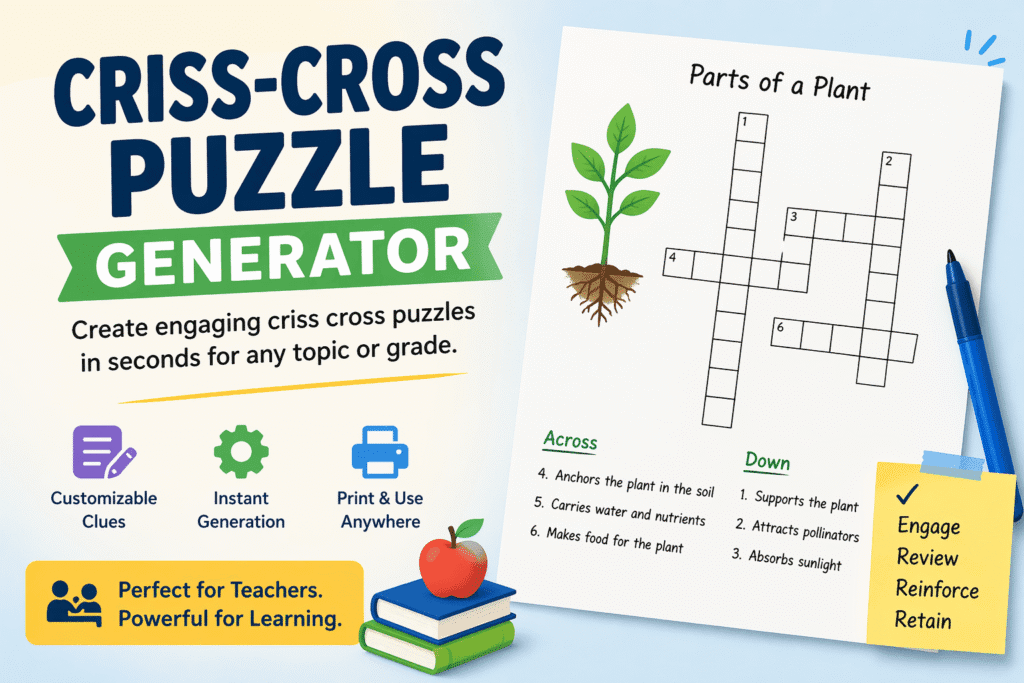
- Criss Cross Puzzle Generator — Create crossword-style fill-in puzzles with clues for any subject
- Customizable Coordinate Planes — Print graph paper and coordinate grids to your exact specifications
- Frayer Model Generator — Generate vocabulary organizer worksheets instantly
All tools are free, require no sign-up, and are built by educators for educators.