
Introduction to Graphing Calculators in Education
Graphing calculators are game-changers in upper-level math and science classrooms. They help students visualize complex concepts in algebra, calculus, and physics, making abstract ideas more concrete. By graphing equations and functions directly on the screen, students can easily spot intercepts, maxima, minima, and asymptotes, while experimenting with variables in real time.
Beyond graphs, these calculators handle complex computations, freeing students to focus on understanding concepts and exploring applications. For educators, they’re a versatile tool to create interactive lessons, encourage problem-solving, and connect theory to real-world examples—making math more engaging and accessible.
Top 10 Graphing Calculators for Educators: buy on Amazon
Choosing the right graphing calculator for upper-level math classrooms is paramount in enhancing the learning experience for students. Below are the top ten graphing calculators that stand out for their features, reliability, and overall value for educators.
If you click the links above and make a purchase, we will earn a commission at no additional cost to you.
1. TI-84 Plus CE: This model is well-known in many math classrooms. It’s lightweight and portable, featuring a high-resolution color display, and offers numerous preloaded apps. The TI-84 Plus CE is particularly suited for algebra and calculus, making it a popular choice for high school and college courses.
2. Casio fx-9860GII: Known for its unique interface, the Casio fx-9860GII boasts a large LCD screen and a built-in spreadsheet feature, aiding in both statistics and algebraic computations. It is a favorite among educators due to its affordable price and functionality.
3. HP Prime: This high-end graphing calculator features a touchscreen and offers a great array of functions. Its ability to connect to the internet opens up advanced data analysis options, making it suitable for advanced mathematics courses.
4. TI-Nspire CX II: OUR TOP PICK Renowned for its interactive learning capabilities, this calculator includes a color display and supports dynamic geometry. The TI-Nspire CX II also integrates seamlessly with educational software, making it a strong asset in the math classroom.
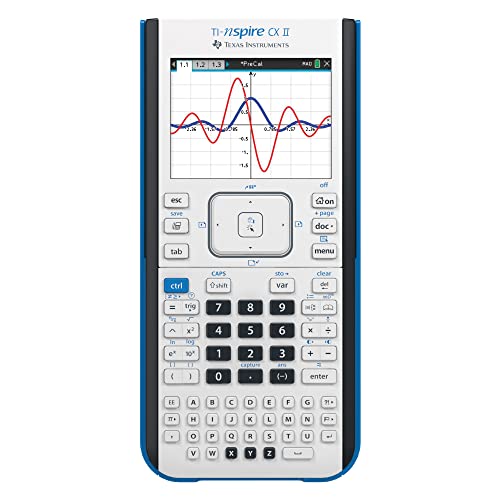
- High-resolution, full-color backlit display. The screen size is 320 x 240 pixels (3.5 inches diagonal) and the screen re…
- Rechargeable battery included. Can last up to two weeks on a single charge
- Handheld-Software Bundle. Includes the TI-Inspire CX Student Software delivering enhanced graphing capabilities and othe…

5. Casio fx-CG50: This model offers a visual data retrieval system that helps students understand complex mathematical concepts. Its vibrant color screen makes viewing functions and graphs easier, thus enhancing classroom engagement.
6. Sharp EL-W516TBSL: This scientific calculator also serves basic graphing functions, making it a versatile addition to any classroom supplies. It’s user-friendly, supporting decimal and fractions, which can assist students with varying skills.
7. TI-89 Titanium: Ideal for higher-level math subjects, this model offers advanced calculus and algebra capabilities. It supports symbolic algebra and has a large memory capacity for functionality in rigorous academic environments.
8. Casio fx-9750GII: Recognized for its affordability, the fx-9750GII provides fundamental graphing features. It’s a suitable choice for educators looking to stock their classroom supplies without a hefty budget.
9. HP 50g: A sophisticated option, this calculator may appeal to engineering students as well. Its advanced graphing capabilities are complemented by a large memory and extensive library of functions, fitting into upper-level class requirements seamlessly.
10. Texas Instruments TI-84 Plus Silver Edition: This variant offers all the prominent features of the TI-84 Plus model but adds additional preloaded apps and a generous amount of memory, making it perfect for educators who want reliable performance in their math classrooms.
These calculators provide a range of options suitable for diverse classroom needs. They help foster a deeper understanding of mathematical concepts, making them invaluable tools for teachers and students alike.
Feature Comparison of Top Graphing Calculators
Choosing the right graphing calculator means looking at features that match your classroom needs. Popular models from Texas Instruments, Casio, and HP each have strengths. For example, the TI-84 Plus CE is known for its simple interface and reliability, perfect for everyday graphing tasks. The HP Prime impresses with its sleek design and touch-screen interface, offering advanced features for students ready for more complex work.
When comparing calculators, think about ease of use, price, software capabilities, and how well the device fits your curriculum. The goal is to enhance learning, help students understand complex concepts, and make math more engaging.
Steps for Integrating Graphing Calculators in the Classroom
- Learn the Features: Familiarize yourself with each calculator’s capabilities so you can show students how it enhances lessons.
- Train Students: Run mini-workshops on basic functions like graphing and interpreting results. Encourage exploration of advanced features for confidence and independence.
- Integrate with Curriculum: Use calculators to visualize equations, tackle real-world problems, or in assessments to reinforce technology’s role in math learning.
- Encourage Collaboration: Let students work together on projects using calculators. Peer learning can strengthen understanding and make lessons more interactive.
By following these steps, graphing calculators become more than a tool—they become a bridge to deeper understanding and engagement in math.